Why Your WooCommerce Products Aren’t Showing in AI Shopping Results
Start by separating an access problem from an inclusion decision. A product can be technically accessible and still not appear in a particular AI shopping answer.
Start with one product and one question
Choose a published product that should reasonably fit the shopper’s request. Record its URL, the assistant or search experience, the question, and the date. Include the shopper’s country and the product’s real availability where relevant. “My store never appears” is too broad to troubleshoot; one reproducible example gives you a useful starting point.
Do not treat repeated prompts as a reliable ranking report. Answers can vary, and a result is not a complete list of every eligible merchant. The work you control is making accurate product information accessible and understandable.
Check whether the public product page is reachable
- Open the product URL while signed out. Confirm that it shows the actual product rather than a login, maintenance screen, error, or unrelated redirect.
- Check WordPress search visibility and any page-level noindex setting. Keep private development sites private.
- Review robots.txt for the particular crawler. Different systems use different identities; one allowed bot does not mean all bots are allowed.
- Check your firewall, CDN, and hosting controls if access rules look correct but requests are challenged or rejected.
- Check that useful product images and the intended canonical URL are accessible too. A working homepage is not enough.
Use our crawler-access walkthrough for the detailed access checks. Change only a rule you understand, then retest the same product.
Make the offer clear enough to evaluate
A product title should identify what is being sold. The page should explain the product, show an appropriate image, and present an accurate price, currency, and availability. Variations need enough context to distinguish their size, colour, or other options. Shipping destinations and return information should be easy for a buyer to find.
For example, a hypothetical shirt called “Midnight” gives less context than a title that identifies it as a graphic T-shirt. That does not mean stuffing a title with search phrases. It means making the product understandable without relying on an image or brand familiarity.
Review product data preparation before adding more promotional copy. Never invent a GTIN, a brand, a review, or a claim to satisfy a checklist.
Check what machines receive
Structured data can help describe an offer, but it must agree with the visible page. Check for absent Product markup, conflicting prices, incorrect stock values, and competing schema output. Our WooCommerce product schema troubleshooting guide explains how to investigate those findings.
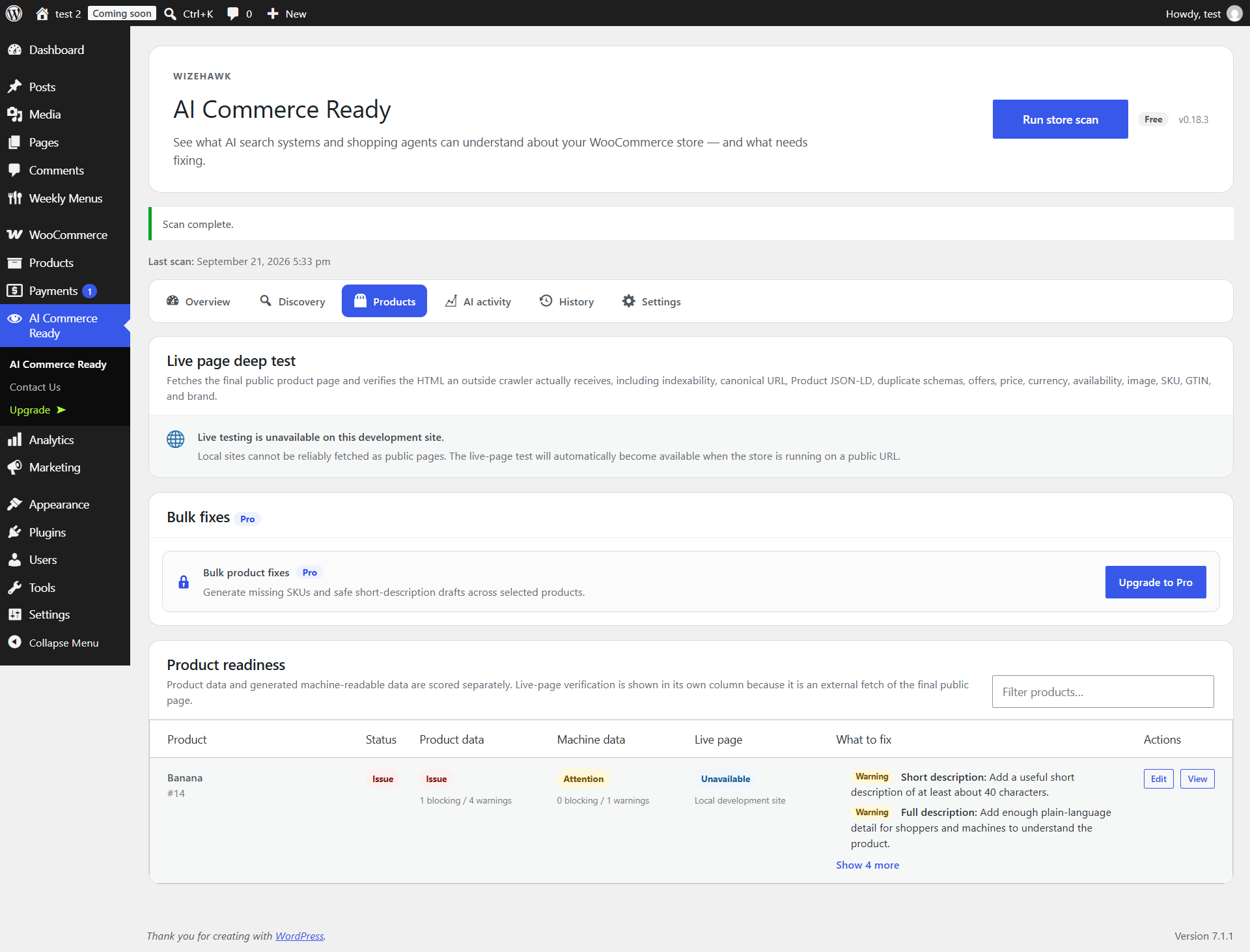
In Store Discovery Audit, run a store scan, review Discovery and Products, and use Test live page beside the affected product on a public store. The fast scan and live-page test are separate. Correct the source data or configuration, then run the relevant test again.
Understand what a clean scan cannot tell you
A passing check does not submit a catalog to every AI platform, guarantee that a crawler has visited, or guarantee a recommendation. Store Discovery Audit checks readiness and detected activity; it cannot control an external platform’s product selection.
If access and product data are sound, check the specific platform’s current merchant requirements rather than repeatedly changing your store. Product feeds and platform participation, where offered, are separate from installing a WordPress audit plugin. Avoid services that promise a guaranteed answer placement.
Keep a useful before-and-after record
- Save the finding and affected product URL before making a change.
- Correct one cause, then rescan and retest that URL.
- Record what changed and when; monitor real crawler or referral activity separately.
- If the technical issue is fixed but the product is still absent from an answer, do not label the repair a failure. Technical eligibility and selection are different outcomes.
Where Store Discovery Audit fits
Store Discovery Audit brings access, product-data, schema, and activity checks into WooCommerce. These instructions refer to version 0.18.3. Start with the complete setup and support guide.
Further reading: Google’s guidance on sharing product data explains its product-data channels. Its structured-data guidelines also make clear that valid markup does not guarantee a rich result. Those are Google-specific rules, not a universal AI shopping contract.